
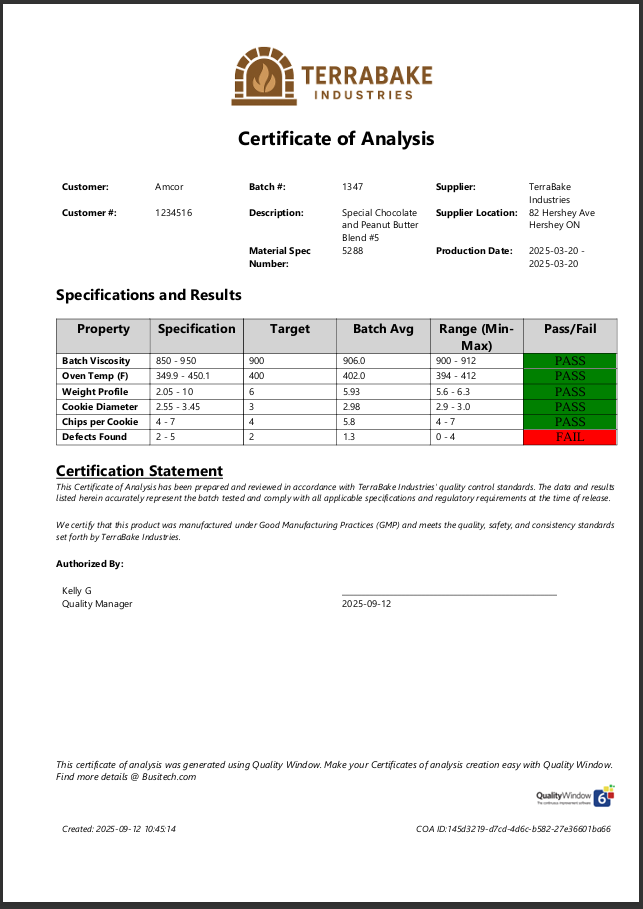
Quality Window 6 includes a modern Report Documents feature that makes it easy to generate professional, consistent Certificates of Analysis directly from your production data. What began years ago as a custom solution in QW5 has evolved into a fully supported, built-in capability designed for today’s manufacturing environments.
The Power of Using Your Data Effectively
When manufacturers capture production and quality data in Quality Window, they gain more than real-time process insight. They gain the ability to reuse that same data to drive documentation that customers depend on. A Certificate of Analysis is one of the clearest examples. Instead of retyping test results, copying values from spreadsheets, or formatting each document by hand, Quality Window can produce a clean, standardized COA based entirely on the data already recorded in the system.
This ensures accuracy, saves time, and provides customers with proof that the product they receive meets their requirements.
A Real Customer Example
One of our customers operates several manufacturing facilities that were acquired over time. Each location continued using its original name for customer loyalty reasons, and each shipped product directly to its customers. That meant a single customer might receive shipments from two different plants, each with its own document layout and formatting. The result was inconsistent presentation and confusion on the customer’s side.
Quality Window was rolled out across all locations to standardize quality efforts and centralize product specifications. Once this was in place, the divisional quality manager realized the next step was to unify the documents going out the door.
That is where Report Documents made the difference.
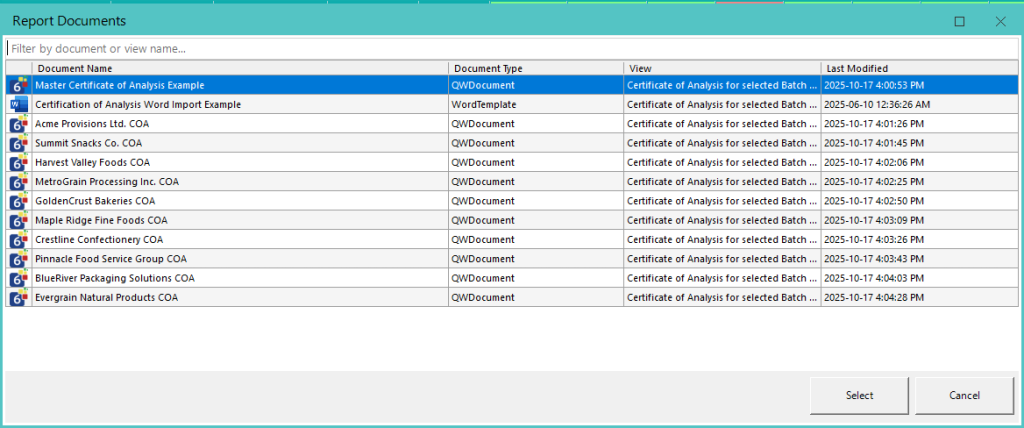
A Standardized COA for Every Location
With Quality Window 6, a COA template can be created once and used everywhere. The template controls layout, branding, header information, variable selection, specification presentation, statistics, and any additional fields required for the final document. Each plant can follow the same format while still using the data collected at its own location.
Customer-specific COAs can be supported as well. If a customer needs a different layout or a slightly different set of characteristics, a new template or view can be created without scripting or complicated configuration.
How COA Generation Works in Quality Window
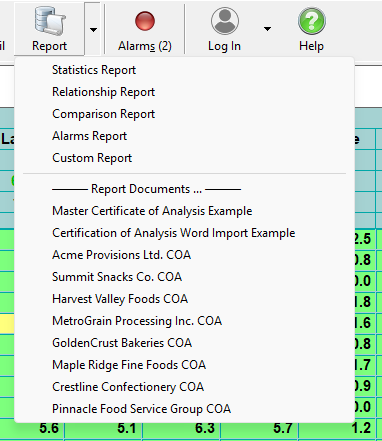
From an end user point of view, generating a Certificate of Analysis is a simple, guided process.
Once Report Documents are set up for a Quality Window application, users just:
- Open the appropriate Quality Window application
- Click the Reports dropdown
- Select the required Report Document template
Quality Window then automatically:
- Loads the correct dataset or view defined for that template
- Prompts the user for the right filters such as batch number, lot number, time period, or product identifier
- Prompts for any additional values defined for the document such as person performing the task, customer name, purchase order number, or other required details
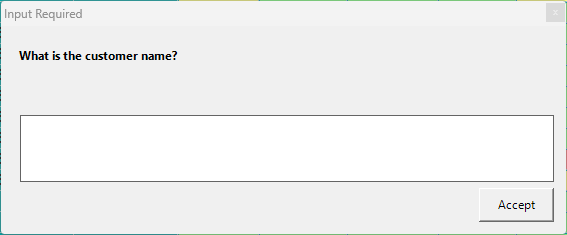
When the prompts are completed, the document is generated automatically in PDF or Word format, ready to save, print, or send to the customer.
Modern COA Production with Report Documents
The Report Documents system in Quality Window eliminates the need for custom scripts, external forms, or manual formatting. Templates are maintained in a centralized tool, data is pulled directly from QW applications, and the final output is produced as a polished document with consistent branding and structure.
This approach gives manufacturers a dependable way to present consistent customer-facing documents, while reducing repetitive work for quality teams.
More Than COAs
Certificates of Analysis are only one example of what Report Documents can produce. The same system can generate customer summary reports, product release documents, inspection summaries, or other formatted outputs that rely on Quality Window data.
If you want to standardize your quality documentation or remove the manual work from customer-facing reports, Quality Window 6 gives you the tools to do it.