
Although Quality Window allows for a Date and Time variable in V1 and V2, you can also add more Date and Time variables to your application as follows:
For a Date variable, make sure the Type is Text, Length is 10 and for the property Units of Measure, enter: DATE[yyyy-mm-dd]
For a Time variable, make sure the Type is Text, Length is 8 and for the property Units of Measure, enter: TIME[hh:mm:ss]
For example:
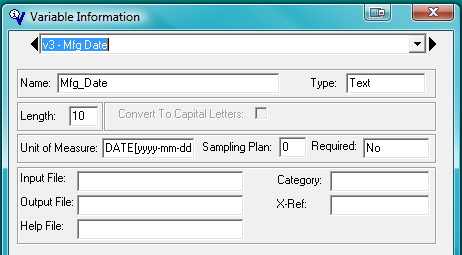
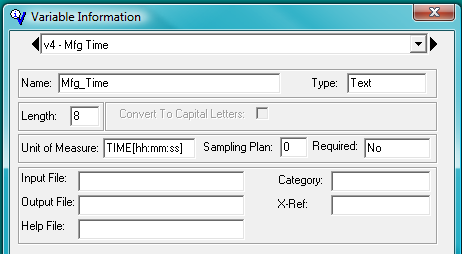
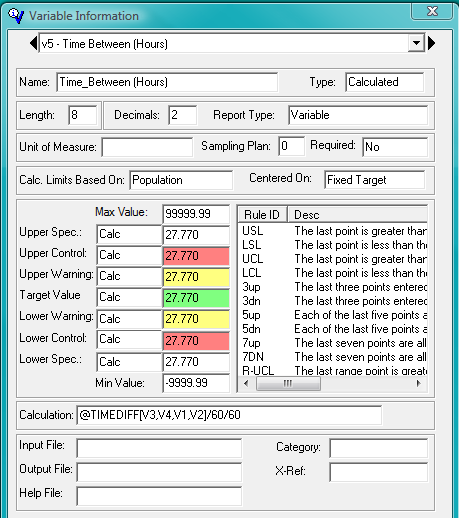
Would result in the following:
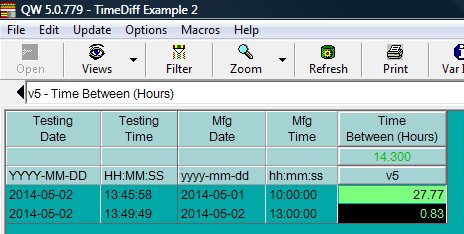
@TIMEDIFF[] returns differences in seconds, so if you wanted minutes, just divide by 60.
To get hours, divide by 3600.
To get Days, divide by 86400.