
Quality Window provides flexible security controls to manage access to your data and control what users can do within each application.
Security can be configured at both the system and application level, allowing you to align access with your organization’s requirements without overcomplicating setup.
For full configuration details, refer to the Quality Window Security – Admin Guide.
How Security Works
Security in Quality Window is built on four core components that work together.
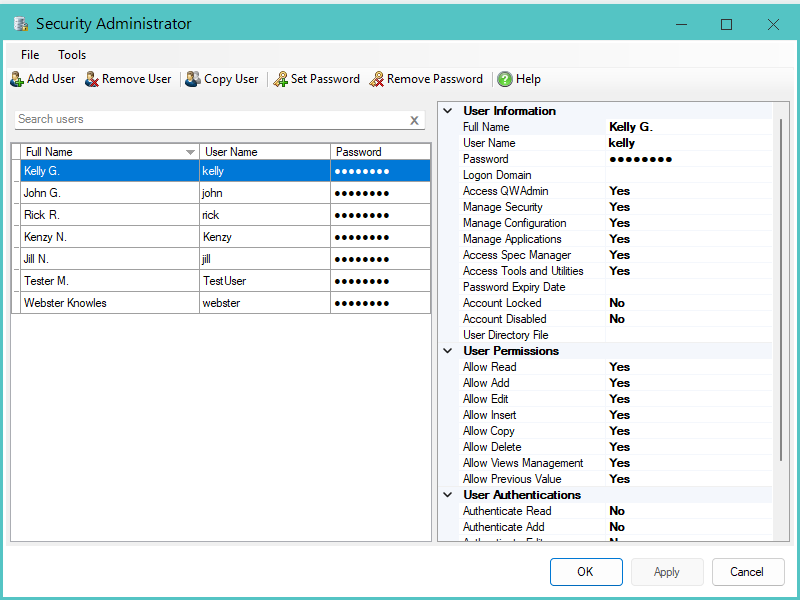
Authentication
Identifies the user accessing the system. This can be managed within Quality Window or through Windows accounts.
Permissions
Define what actions a user is allowed to perform, such as viewing data, adding records, editing, or deleting.
Authentication Triggers
Require users to enter credentials when performing specific actions, even if they are already logged in.
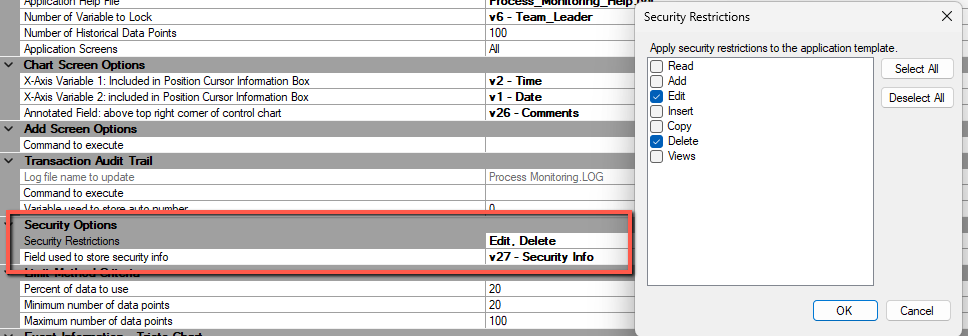
Application Security Restrictions
Control where security is enforced. Security is applied at the application level and can be configured differently for each application.
Permissions only take effect when corresponding security restrictions are enabled in the application.
Authentication Options
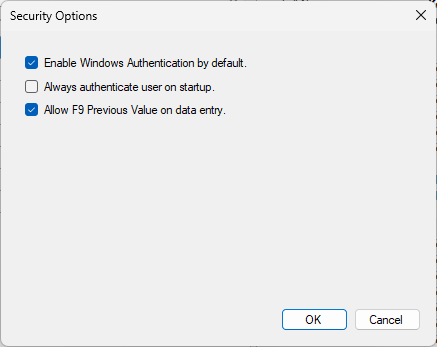
Quality Window supports two authentication methods.
Quality Window Authentication
Usernames and passwords are created and managed within Quality Window.
Windows Authentication
User credentials are managed through Windows or Active Directory. Users authenticate using their existing Windows accounts.
In both cases, users must still be defined in Quality Window to apply permissions and security rules.
Where Security is Applied
Security is not automatically enforced across all applications.
Each application can be configured independently to:
- Enable or disable security
- Restrict specific actions such as Add, Edit, Delete, or Views
- Apply different access rules for different user groups
If no security restrictions are configured for an application, user permissions will not be enforced.
Typical Use Cases
Quality Window security is commonly used to:
- Restrict editing or deletion of records to supervisors
- Require login before accessing data
- Prompt for credentials when performing sensitive actions
- Limit access to specific applications for certain users
- Support shared workstations where multiple users use the same device
Important Considerations
Access to Quality Window Admin should be limited to authorized users as a minimum security practice.
Shared configuration should be used to ensure consistent security across multiple devices.
Permissions and authentication prompts only apply when application-level security restrictions are enabled.
Advanced authentication features such as multi-factor authentication (MFA), two-factor authentication (2FA), and Windows Hello are not currently supported.
Next Steps
For step-by-step setup, user management, and configuration details, refer to the Quality Window Security – Admin Guide.
Related Reslources
- Managing Security Tutorial
- Meeting the 21 CFR part 11 requirements with Quality Window
- Quality Window Admin password recovery procedure
- How do I use Windows (Active Directory) authentication in Quality Window?
- Configuring the Last Value Feature (F9)
- Quality Window Security – Admin Guide
- Using Directory Files in Quality Window